
Updated November 18, 2026 · IPTV Stream Provider Team

HOT Player on Apple TV
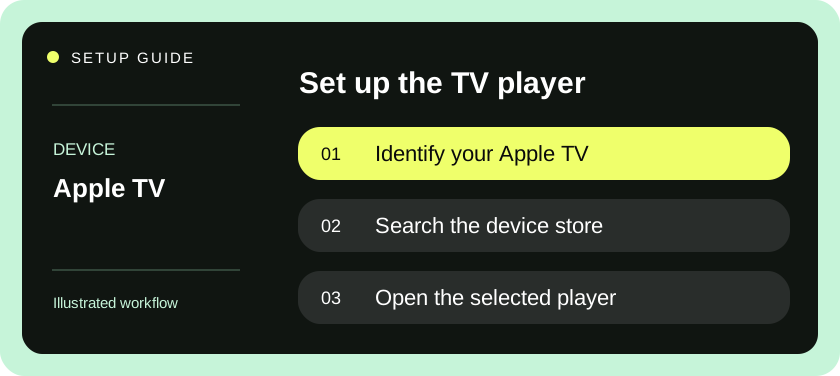
Open the App Store on your Apple TV, search for Hot Player and select Get on the publisher’s listing. Check the listing for tvOS compatibility.
View in the App Store ↗After installation — open Settings or Info in HOT Player and scan the QR code to add your authorized playlist. Player activation and streaming subscriptions are separate.
Check which Apple TV you have
IPTV on Apple TV requires a player compatible with the device controlling your screen. Apple TV 4K and Apple TV HD have an App Store for downloading apps. Apple TV third generation does not have that store. The Apple TV app built into a smart television is a separate product and does not install tvOS software. If the home screen only offers content within the Apple TV app, check which hardware is connected to the display.
Look up the device model under its settings if you are unsure. Note the software version and whether an update is waiting before evaluating a trial. Starting with a known software version makes it easier to reproduce a problem. Also identify the remote: different generations have different surfaces, but the useful test is whether you can select items, return to a previous screen and open the system home screen reliably.
Gather what you need for a tvOS player
Be ready to use the Apple Account associated with App Store purchases on this device. A service login belongs inside the compatible player after installation. The player has no need for the password to your Apple Account. If the App Store displays a purchase or subscription sheet, review what the publisher is charging before approving it. The payment described there may cover player features rather than streaming service access.
Ask your provider which input formats they support. For direct import, you may receive an M3U address or a server URL, username and password. A player can support one format and omit another. Other apps use a pairing process to transfer the playlist from a phone or computer. If that workflow is required, confirm the publisher’s intended pairing page and use a personal device to avoid leaving access details on shared equipment.
Set up a player from the tvOS App Store
- Open the App Store from the Apple TV home screen. Search for the chosen player, open its detail page and inspect compatibility and purchases. A similarly named iPhone app does not by itself establish that the app is available on tvOS.
- Download the app with Get or the displayed purchase control, then launch it. Look through the available profile types before inserting details. Choose the provider’s supplied method and give it a name that distinguishes it from any existing family profiles.
- For a playlist import, enter the full URL in the playlist field. If the remote keyboard is awkward, use a trusted nearby input option offered by the device. Check the beginning and end of the value after pasting and remove any trailing space.
- For a server login, enter each field separately. Preserve the exact host address, including any explicit port. For a paired app, follow its on-screen instructions and enter the pairing code privately. Use one method first so you can tell which profile actually works.
- Start the initial import and wait for channel groups. Play an item, open playback controls and test pausing or switching only where supported. Return to the list and select a different item to confirm the profile can open more than its last-viewed entry.
- Open the schedule where present, select an alternate audio track where offered and test captions. Exit the player normally, reopen it and find a saved favorite. This final pass checks the tasks a household viewer needs after setup day.
Choose settings your whole HDMI chain accepts
If the television shows an unexpected resolution or goes briefly black, identify when it happens. A display transition as playback starts differs from repeated blanking during the same scene. Record the behavior with your usual video settings, then test one change at a time. Ask whether the issue appears on all items or only on a particular frame rate or format. A feed’s resolution and the HDMI output mode are independent facts.
Write down whether Apple TV connects directly to the television or through an audio receiver. When troubleshooting sound, compare the same item with the television’s built-in speakers where practical. If an alternate track restores sound, note the language and track type shown by the player. A generic complaint about picture quality gives support less to work with than a description of the exact connection path and the transition that triggers the problem.
Try the Siri Remote with a real viewing routine
A television app should make sense without a keyboard after initial login. Start from the home screen and ask the next viewer to find the app, choose a favorite, open the guide and return to the same item. Watch for focus moving out of sight when a menu overlaps playback. A different layout or list density can be more valuable than extra features if the household uses a directional remote.
Check subtitle behavior on at least two items. Some tracks may be included with one source and missing from another. If captions appear on the first item only, look at each item’s available tracks before changing system accessibility settings. Note whether subtitles occupy a readable area with your usual display mode. Avoid stretching a picture to fill a screen if it hides guide text or a caption line near the edge.
Diagnose familiar tvOS issues
| What happens | What to check |
|---|---|
| App Store is missing | Confirm Apple TV generation and whether you opened a TV app instead of the hardware home screen. |
| An iPhone purchase does not appear | Read the publisher’s tvOS compatibility and purchase-restoration rules. |
| Playlist has groups but no schedule | Check for the separate guide address and the player’s refresh setting. |
| A password works on a phone only | Compare login methods and stop any playback still active on the phone. |
| TV blanks when playback begins | Note whether the output mode changes and whether the issue repeats during playback. |
| Sound fails only through a receiver | Compare the TV speaker path and the available audio tracks. |
Keep a private note of the app name, publisher, subscription renewal date and original login message. If a new Apple TV replaces the old one, restore or reinstall the app through the appropriate account and verify whether its profile data actually followed. An app purchase and a saved content profile can have different backup behavior. Before selling the old device, remove your account and profile using the device’s normal reset procedure.
Check the account used for purchases
In a household with multiple Apple Accounts, identify which one acquired the tvOS player. Keep the publisher receipt in that account and record which profile inside the app contains your service details. If someone changes the active user on Apple TV, test whether the player still opens the intended profile and whether viewing preferences remain private enough for your household. A service login is separate from the identity that authorized an App Store purchase.
During a trial, avoid purchasing a long app subscription simply to discover whether one control works. Read the publisher’s feature description, check what can already be tested and ask how a purchase is restored after replacing the Apple TV. If the player also advertises a mobile companion, verify whether it is used only for input, manages profiles or actually plays video on the phone. Those uses have different implications for device activation and simultaneous playback.
Apple documents which Apple TV devices support app downloads.
Questions & answers
Does the Apple TV app on my smart TV install IPTV players?
The app on a smart TV does not provide the tvOS App Store. Use the television’s native store or a separate Apple TV HD or Apple TV 4K.
Must I buy the same player twice for iPhone and Apple TV?
Check the publisher’s available platforms and purchase terms before buying. App availability, feature access and saved profiles can differ.
Does Apple TV 4K make every stream 4K?
The source must deliver the higher-resolution picture and the playback chain must support it. An HDMI output banner alone does not identify the source resolution.