
Updated November 18, 2026 · IPTV Stream Provider Team

HOT Player on Samsung Smart TV (Tizen)
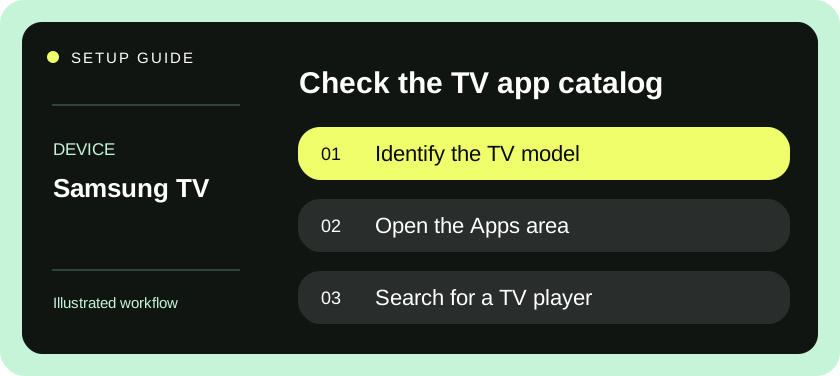
Open Home, choose Apps and search for HotPlayer or HOT IPTV. Match the logo, select Install and open the player. Availability depends on your TV model and store region.
View official download options ↗After installation — open Settings or Info in HOT Player and scan the QR code to add your authorized playlist. Player activation and streaming subscriptions are separate.
Start with the TV model and its app store
IPTV on Samsung Smart TV uses the television’s own app catalog when you install a native player. Press Home with the Samsung remote and look for Apps or app search. If you see a separate streaming stick’s interface, switch back to the television home screen. A native player and one installed on an HDMI device have independent settings, favorites and activation identifiers.
Locate the television model code in the support or About This TV area, or use the label on the back. Keep the model code separate from the serial number; the model is normally enough for a first compatibility check. The store experience varies across regions and model years. Even TVs with similar screen sizes and marketing names may have different player choices. Check availability on this set before purchasing software elsewhere.
Decide which activation method fits
Gather the service details from your provider. Some TV players display a device identifier and a second verification key on their first screen. Others accept a playlist URL or server credentials directly with the remote. Tell support which screen you see. A device identifier shown by a player may differ from the hardware network address in the TV settings; use the identifier named in that player’s instructions.
If you have a playlist URL and your preferred player only offers pairing, ask whether support can associate the list through the publisher’s approved process. Keep any device key private. Before paying an activation fee, distinguish the fee for the player from the plan that supplies access. A countdown on a player screen may refer to the app’s evaluation period. Ask which date represents the service end date and record both if they differ.
Install the player and open your first item
- Open Apps from the TV home interface and use its search function. Search the exact player name, paying attention to spaces and similar titles. Confirm the publisher before selecting Install. Sign in to the Samsung account when the TV requires it for downloads.
- Launch the player and look for a profile, playlist or pairing screen. Read the field labels before entering anything. A request for a device key calls for a different action from a request for a provider-issued password.
- For direct entry, choose the supplied format and type the address exactly. Keep any port and final path intact. For pairing, share the requested player identifier and key only with the support contact you intended to use. Do not share your Samsung account password.
- After support confirms an upload, choose Reload or Refresh in the player. If those controls are absent, exit the app normally and reopen it. Avoid reinstalling while waiting for an upload; doing so can interrupt your ability to identify the paired installation.
- Open one item, wait for picture and sound, then navigate back to a different group. Check that the player returns to its list without returning you to the Smart Hub. Mark one favorite and reopen the app to see whether it persists.
- If you rely on the guide, inspect a program currently playing and compare its displayed time with the TV clock. A list can play correctly while schedule data is absent, delayed or displayed in another time zone.
Make everyday use easier on the remote
Put the player on the Home row if your TV version offers Add to Home or a move option. This is useful in a household where pressing Home is easier than remembering where Apps sits. Open the player again from that shortcut and check that it reaches the same profile. If you also use an external box, give its HDMI input a meaningful label to reduce confusion.
The Samsung remote may have relatively few buttons, so player shortcuts matter. Use the on-screen prompts to find captions, audio track selection and program information. Try the Back action during playback and again on the channel list. Write down the shortest reliable way to stop a stream. Exiting to a different input can leave it unclear whether the app has actually released the account’s connection.
Evaluate performance on your own set
Start the trial in the room and at the time you normally watch. The television’s Wi-Fi reception can differ from that of a phone held in front of the panel. If the first item plays poorly, test another group before changing the network. If both pause, compare a familiar streaming app on the same TV. Note whether the menus themselves are slow or only the live pictures stop.
For a picture with no sound, first check whether ordinary TV audio works through the same speakers. Try an alternative audio track if one is offered. If a soundbar is connected, compare the TV speakers briefly without changing multiple format options at once. Provide support with the model, feed and audio path. A player compatibility issue affecting one audio track needs a different response from a muted soundbar input.
Common Samsung TV setup errors
| What you see | Next action |
|---|---|
| App exists on another Samsung TV only | Compare model codes and store regions and request another supported player. |
| Player asks to activate immediately | Check whether the publisher offers a test period and whether support covers any fee. |
| Pairing accepted, list remains empty | Match the identifier character by character and refresh the correct installation. |
| Menus are responsive, one stream freezes | Compare another item and note the first item’s name, quality and time. |
| All apps have lost their sign-ins | Check whether a Smart Hub reset or account change occurred. |
| Date seems to show the wrong expiry | Ask support to spell out the month and distinguish app expiry from subscription expiry. |
A Smart Hub reset can sign you out of multiple apps. Before taking that step, check whether other apps are affected, save the necessary account details and consult Samsung’s model-specific instructions. A single missing playlist is usually better investigated through its profile and pairing details. When support suggests reinstalling, ask whether the player’s activation or favorites will need to be restored afterward.
Bring the right information to support
A useful support message names the TV model, player name, what you selected and what appeared next. For example, “Refresh succeeds and lists appear, but two items in the same group have picture and no audio through the TV speakers.” If possible, add whether another group has sound. This is more actionable than “Samsung does not work,” and it avoids exposing an entire playlist address.
Before renewing, check how to restore a profile after replacing the television. Keep store purchase confirmations and service renewal confirmations separately. A software update, hardware repair or replacement mainboard can change details relevant to a device-bound license. Your provider and the player publisher may handle different parts of that process.
Save one reproducible example
When a new feed misbehaves, write down its exact label before changing favorites or refreshing the catalog. Include the local time, the player’s visible error and whether another item in the same group works. Repeat once on the same television after stopping any other active screens. A consistent example lets support investigate the affected item without asking you to recreate an entire device setup.
Samsung’s guidance covers troubleshooting an app on a TV or projector and installing apps from the television.
Questions & answers
Can I install an Android TV app file on Samsung Tizen?
Use the Samsung TV store for native apps. An HDMI device can run its own compatible player if your TV lacks the one you need.
Which device address should I send for pairing?
Use the identifier shown inside the player that support is setting up. Send it privately along with a device key only when the player requires one.
Will resetting Smart Hub preserve my other sign-ins?
Samsung says a Smart Hub reset signs you out of your Samsung account and apps. Try targeted app troubleshooting and prepare your sign-in details first.